A free meta description generator that fits Google
The meta description is the short text under your page title in Google results. It does not change your ranking directly, but it has a big effect on whether people click. A clear, specific description can win the click even when you are not the top result.
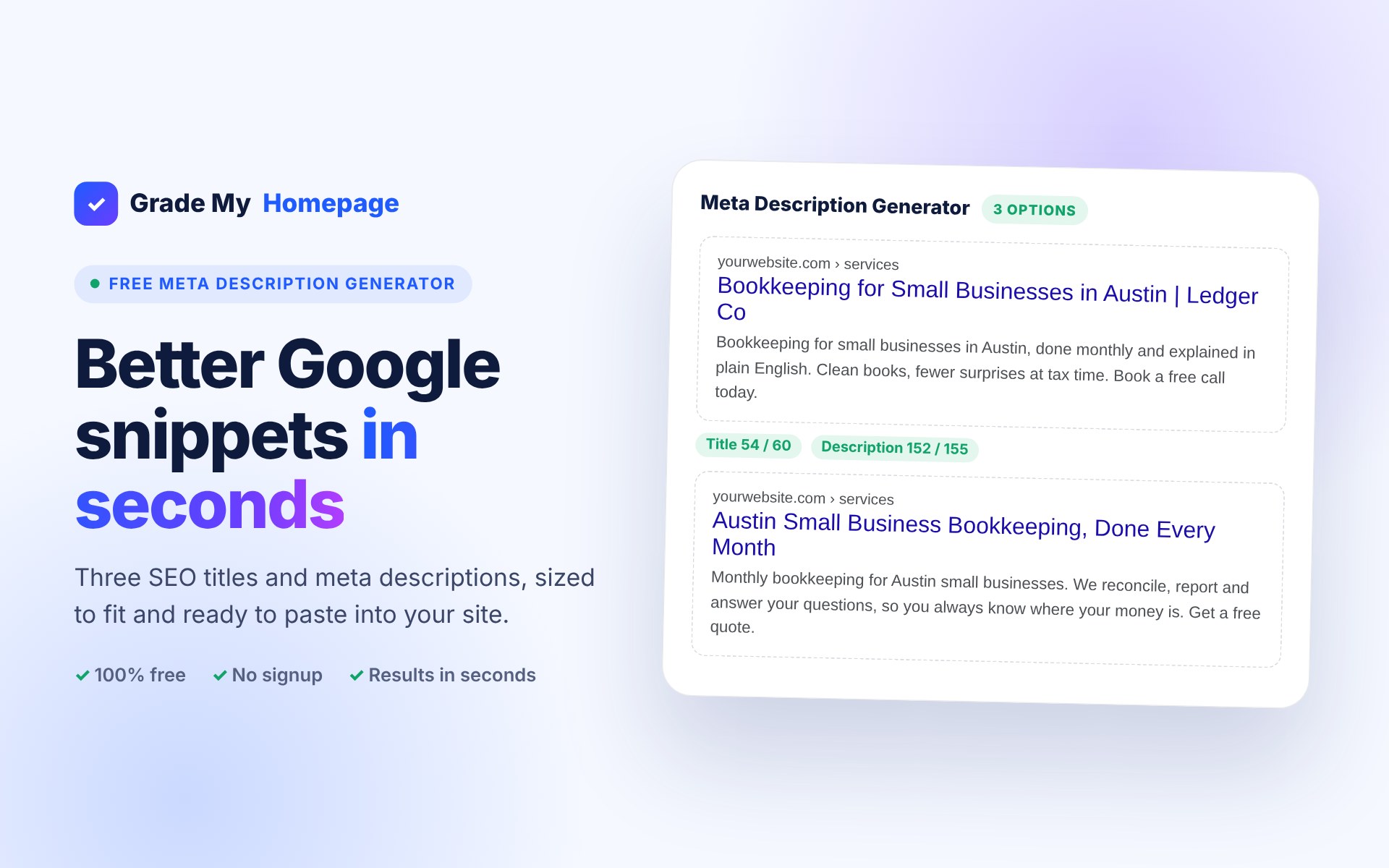
This meta description generator writes three options for any page, each with an SEO title and a description sized to fit. Every option shows a live character count and a preview of how it could look in Google, so you can pick, edit and copy in a few seconds.
How to use the meta description generator
- Say what the page is about. One or two sentences is enough. “Our monthly bookkeeping service for restaurants” works better than a single word.
- Add your main keyword. This is the phrase people type into Google to find the page. The meta description generator places it near the start of the title and once in the description.
- Add your brand name. This is optional. When it fits, the title ends with your brand so people recognize you.
- Add your city or area. For local businesses this matters a lot. Searchers want to know you serve them.
- Pick, edit and copy. Each option can be edited right in the card, and the counters update as you type.
How long should a meta description be?
Google does not use a fixed character limit. It cuts snippets by pixel width, and the cut point changes with the device. In practice, most descriptions between about 140 and 155 characters show in full on desktop. Titles of about 50 to 60 characters usually fit too.
That is why the meta description generator aims for those ranges. The counters turn green when you are in range, amber when you are close and red when you are over. Shorter is fine if the message is complete. Longer just gets cut off with an ellipsis.
What Google says about descriptions
Google may rewrite your description if it thinks another part of the page answers the search better. You cannot stop that, but you can make it less likely. Write a description that is unique to the page, matches what is on it and answers what the searcher wants. Google’s own guidance on snippets and meta descriptions explains this in more detail.
What makes a meta description get clicks
- Match the search. Use the words people actually type, so Google can bold them in the result.
- Be specific. “Monthly bookkeeping for Austin restaurants” beats “accounting services you can trust”.
- Say who it is for. The right reader should feel the result was written for them.
- Give a reason to click. A free quote, a quick answer or a clear next step.
- Keep every page unique. Copying the same description across pages wastes the chance to stand out.
Where to paste your new title and description
On WordPress, most SEO plugins have a snippet editor below the page content. In Rank Math, Yoast or All in One SEO, open the page, find the SEO title and meta description fields and paste your choice. On Squarespace, Wix and Shopify, look for SEO settings in each page’s settings panel.
After you update a few key pages, run the free homepage grader. It checks your title, description, headings and image text along with your message, trust signals and speed. If your homepage headline needs work too, try our headline generator.
Meta description generator FAQ
Is the meta description generator free?
Yes. No account and no email. You can run the meta description generator several times a day.
Does a meta description help my ranking?
Not directly. It helps people choose your result, and more clicks from the right people is the whole point of ranking in the first place.
Should every page have its own meta description?
Yes, at least your important pages. Your homepage, service pages and top blog posts deserve a description written for them. The meta description generator makes that quick, even for a dozen pages.
What else helps my page show up well in Google?
Structured data can help Google understand your business name, address and hours. Our schema generator creates that markup for you in a minute, free.
